A Practical Guide to Taking Screen Breaks
Why eyes tire at a screen, a five-step break routine including the 20-20-20 rule, and the setup changes that make breaks work better.

On this page
Key points
- Eye specialists say screens do not permanently damage the eyes, but long sessions can leave them dry and tired.
- People blink far less at a screen: about 5 to 7 times a minute instead of about 15, according to the American Academy of Ophthalmology.
- The 20-20-20 rule: every 20 minutes, look at something 20 feet (about 6 metres) away for 20 seconds.
- Eyes that are consistently red, blurry, watery, painful or light-sensitive need a professional check.
After a long stretch at a screen, eyes can feel dry, tired or slow to focus. This short guide explains why that happens and sets out a routine of screen breaks you can start today. It is about comfort during ordinary screen use, not about treating an eye condition.
First, the reassuring part
Screens are uncomfortable to stare at for hours, but two authoritative bodies say they do not cause lasting harm. The American Academy of Ophthalmology (AAO) states that screens do not permanently damage the eyes. Great Britain’s Health and Safety Executive (HSE) says the same about display screen work, while noting that long spells can lead to tired eyes, discomfort, temporary short-sightedness and headaches.
The AAO gives one plain reason for the discomfort: blinking. People normally blink about 15 times a minute, it says, but only about 5 to 7 times a minute while looking at a screen. Blinking spreads moisture over the surface of the eye, so fewer blinks means a drier eye. Similar discomfort can follow any long close work, including reading or sewing.
The American Optometric Association (AOA) lists other contributors: poor lighting, glare, an awkward viewing distance, posture, and vision problems that have not been corrected. Breaks help with some of these. The rest are about setup.
A screen-break routine in five steps
-
Look far away, often. The AOA recommends the 20-20-20 rule: every 20 minutes, take 20 seconds to look at something 20 feet (about 6 metres) away. The numbers are a memory aid, not a precise prescription. The point is to let the eyes rest on something distant regularly. A window is ideal; the far end of a room will do.
-
Blink on purpose. The AAO suggests reminding yourself to blink, even with a sticky note on the monitor. A few slow, full blinks during each look-away pause is an easy way to combine steps one and two.
-
Take a proper break every hour or so. For people who work at screens, HSE advises that short, frequent breaks are better than occasional long ones, and gives the example of 5 to 10 minutes every hour over 20 minutes every two hours. Stand up and move during these. A change of task away from the screen counts.
-
Rest longer after a long unbroken stretch. The AOA suggests resting the eyes for 15 minutes after two hours of continuous screen use.
-
Make the break a real one. Switching from a monitor to a phone keeps the eyes at close range. Choose something with distance in it: make a drink, walk to another room, step outside.
Making the reminders stick
Few people remember a 20-minute interval unaided. Options that work without much effort:
- a repeating timer on a phone, watch or computer;
- break-reminder software, if your workplace allows it;
- natural markers: every time you send an email, finish a page or end a call, look away;
- a glass of water small enough that it needs refilling each hour.
Tying the pause to something that already happens is the approach described in building a small habit. If your difficulty is a diary with no gaps, see planning breaks into a busy working day.
Fix the setup too
Breaks do less if the screen itself is working against you. The AAO and AOA suggest:
- Distance. About arm’s length from the screen, roughly 25 inches or 63 centimetres in the AAO’s advice.
- Height. The screen slightly below eye level, so you look a little downward.
- Brightness. Match the screen to the room. A screen much brighter than its surroundings makes the eyes work harder.
- Glare. Move the screen away from reflections from windows and overhead lights, or use blinds. A matte screen filter is another option.
- Dry air. In a warm, dry room, a humidifier may help. The AAO also mentions lubricating eye drops (“artificial tears”) for eyes that feel dry; a pharmacist can advise on what is suitable for you.
- Contact lenses. The AAO notes that long screen sessions can make dryness worse for lens wearers and suggests giving the eyes a rest by wearing glasses some of the time.
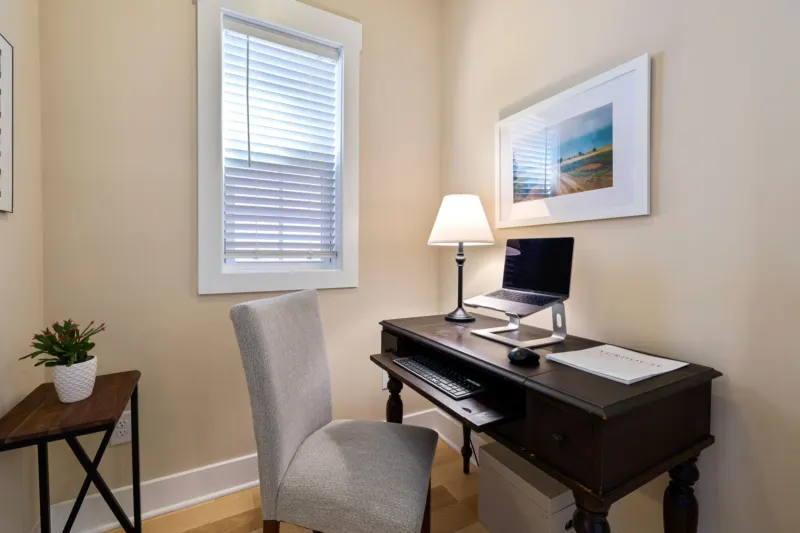
Our desk setup checklist covers screen position alongside chair and keyboard.
Glasses and eye tests
An out-of-date prescription, or none when one is needed, can make screen work harder. HSE points out that screen work can make people notice eyesight problems they already had, including changes that come with age. Some people are prescribed glasses set for screen distance; an optometrist can say whether that applies to you.
Entitlements depend on where you work. In Great Britain, HSE says an employer must arrange and pay for an eye and eyesight test if a display screen user asks for one, and must pay for glasses only if the test shows special lenses are needed for screen distance. In the United States, the AOA says it is a good idea for computer users to have a thorough eye examination every year. Other countries have different arrangements, and how often to be tested is a question for your own optometrist.
Sources
- American Academy of Ophthalmology (US) Computers, Digital Devices, and Eye Strain
- American Optometric Association (US) Computer vision syndrome
- Health and Safety Executive (UK) Working safely with display screen equipment: Eyes and eyesight testing
- Health and Safety Executive (UK) Working safely with display screen equipment: Work routine and breaks
- NHS (UK) Vision loss
How this guide was prepared
Written by Meetis Editorial with AI assistance, using the sources listed above, and checked against them before publication. It has not been reviewed by a doctor or other health professional. It is general information, not personal medical advice — for questions about your own health, speak to a qualified professional.